I’ve created the account. I had to call the support because the buttons on the website weren’t working properly. Also, I find the steps (for example requesting the Mastercard debit card) quite confusing (e.g. I need to manually request the card, but I don’t get any confirmation of the request?!).
So, not an amazing start, but let’s see.
Does anyone know how to change the language in the E-banking tab on the website (here basically: wwwsec.wir.ch/portal/fr/ebanking) ?
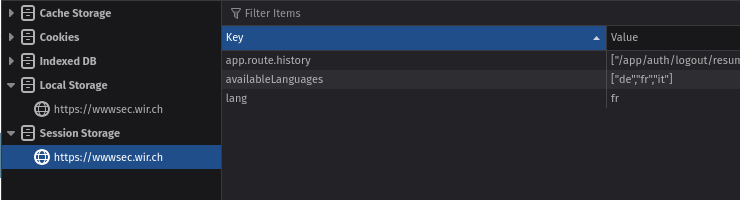
I already configured the FR language, and I changed the url to have “fr” instead of “de”, but I still see the E-banking tab in german .
All the rest is in french tho, so I don’t understand why that tab remains in german.
Have you or anyone else already installed the new e-banking app?
I’m thinking about switching from Neon to WIR, but I’d first like to know whether the new app is now as simple and user-friendly as Neon — for example, being able to pay bills by scanning QR codes with your smartphone, having a clear overview of very recent transactions, and using just one app instead of four.
I read that WIR is gradually rolling out the new e-banking to more customers this winter, but I’m wondering whether new customers already get access to the new version right away.
Not yet, but I got a message saying I can try the new e-banking/app next Tuesday. The current system has been holding me back from fully committing to WIR
Yep. Everything fine. Don’t need the auth app, and the six card app (but available). Just twint app. Paying is smoother than before. No issues so far… except the e-documents are named all the same on download.
In case someone is interested, you can open a TOP package though the VIAC deals and get a 50 CHF starting credit. The offer is valid until November 30.
Does the new banking still provide a useful / complete CSV export for account transactions? Do they, by any chance, maybe even invoice both the foreign currency and the CHF amount for debut card transactions abroad?
You can export the transactions as Excel or as PDF. I think it’s sufficient.
When you use the card abroad, you’ll see the CHF reserved amount. Going into the transaction you’ll find the original forex amount.
Edit: but I haven’t found out how to export as camt files which was possible in the old version. it’s under Vermögen > Datenexport while the Excelexport is on the account itself.
Yes, I opened the package 2-3 weeks back and I have the new app.
Actually I had initially just the old e-banking desktop app. It is not possible anymore to download the old mobile app from AppStore and the new one wasn’t activated for me. A quick call to the support and they migrated me instantly.
Everything got more complicated and involves more clicks
The coloring is bad; things are difficult to distinguish.
The spacing is horrible. Everything got bigger and more confusing.
There is no “overview” about everything. But you can add a HUGE widget for every account to the dashboard…..
Half of menu items are useless (Finanzierung, Vorsorge, Anlagen, etc)
“Konten” and “Vermögensübersicht” has 2 menu points, but is exactly the same page.
They removed the “Plandata” feature, which makes impossible to predict how much money is left at the end of the month
“Saldovorschau” still exists (without plandata), but there is no more separation between months.
On the mobile, “Anlagen” has its own bottom bar point. Remember: Anlagen at Bank WIR is only their shares. Totally useless to block this valuable space. I’d expect the point “Cards” there.
On the mobile, also the balance is always pixled after login. So you need to click 2x to see your balance. Please leave the choice up to the user!
On the mobile, the app sometime shows a HTTP error…
ive had WIR Top package for a few weeks now, its such a weird app. Transactions dont appear in the main app until a few days after which means the balance isnt live, exchange rates seems to be the interbank but not on the day of purchase but when the transaction are booked, again a few days after. When the transactions do finally appear in the main app you cant tell what they are untll you click through each one and open. Just really bad design. Other then that works fine and has replaced radicant for me
Hello!
Does anyone have experience in receiving EUR (or any other non-CHF currency) in their WIR bank account?
Let’s say Booking.com charges my card for 100 EUR, but then I cancel the reservation, so they send me back 100 EUR. What does it happen then? Are they converting it to CHF using the interbank rate?
When I sent back a 100€ Amazon order recently, I received roughly 0.4 Fr. more back than I paid (I guess I can put “professional forex trader with 146% APY” on my CV now). I do not remember the exact exchange rates on the dates (also not sure which dates were actually used for the determination of the rates), but EUR/CHF was relatively stable during this time, so it seemed to me as if they used the Mastercard or interbank rates for the refund as well. Not sure if that also applies to EUR bank transfers.
I think there is a difference between receiving EUR on your account and getting a credit to the card. I would expect the card transaction to bear the same conditions as if it was a payment (market rate, no fee).
Refunds take up to 5 days to appear and uses the interbank FX rate on the date it gets posted which obviously differs from the rate of the original purchase. Also to add to my experience any cash ATM withdrawals also take a few days to get posted. Works fine
Mit dem Lesen und der Teilnahme an diesem Forum bestätigst du, dass du die Forum-Richtlinien gelesen hast und damit einverstanden bist sowie den Haftungsausschluss auf http://www.mustachianpost.com/de/ akzeptierst.
 .
.
 just got a letter with an instruction